 Ravi Shah
4c6f22bedd
Ravi Shah
4c6f22bedd
|
5 years ago | |
|---|---|---|
| static | 5 years ago | |
| templates | 5 years ago | |
| LICENSE | 5 years ago | |
| README.md | 5 years ago | |
| Screenshot 2020-12-26 170542.png | 5 years ago | |
| collector.py | 5 years ago | |
| garage-door-controller.service | 5 years ago | |
| garage_door_script.py | 5 years ago | |
| install.sh | 5 years ago | |

README.md
New-Pi-Garage-Door-Opener
A rewrite of the Raspberry Pi Garage Door Opener using Flask.
This repo contains a python script (garage_door_script.py), which runs a Flask web server that allows you to control and monitor your Raspberry Pi Garage Door Opener. This script assumes you have the same hardware configuration as described in this video: https://youtu.be/An7KQbmUnhs.
Differences between this and the old python garage door control script (https://github.com/Rav4s/Pi-Garage-Door-Opener)
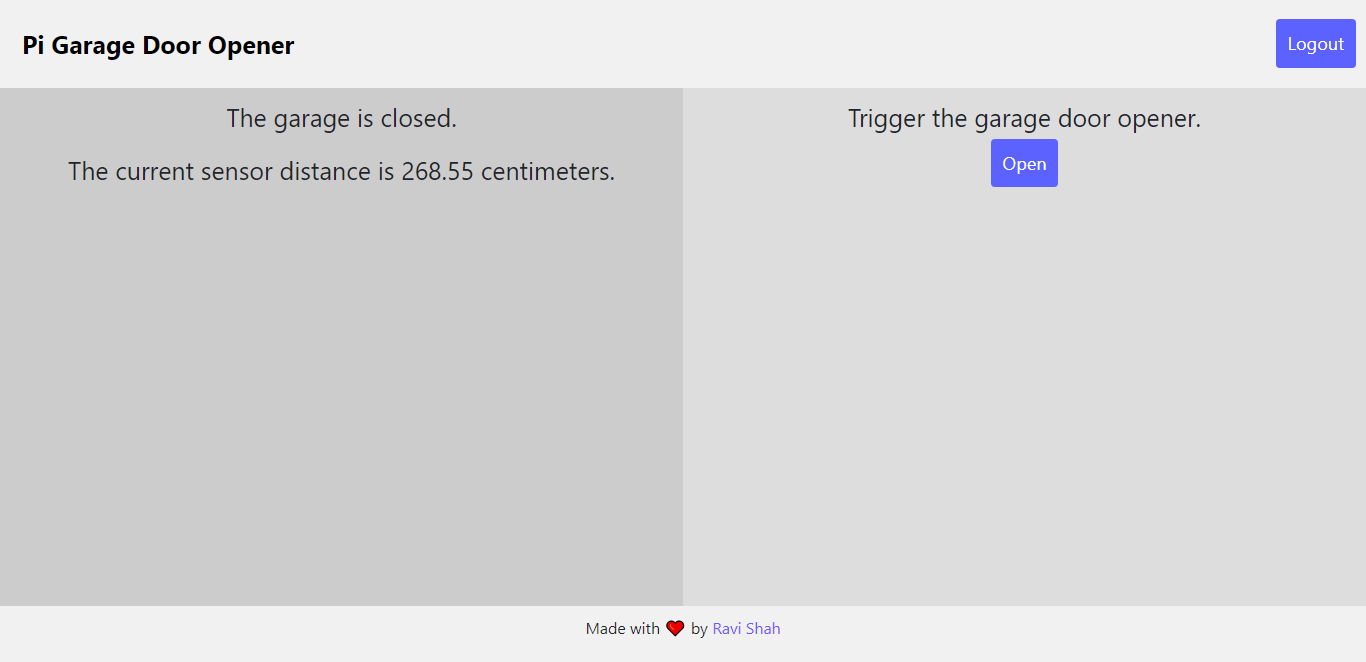
Unlike the old script, this one allows you to view the status of your garage door and control it from one webpage. Also, once you sign in, it sets a cookie which allows you to stay signed in after closing and re-opening the page. Improvements have also been made for mobile usability and overall look and feel (see the screenshots below).
What's in each folder?
The static folder contains the Bootstrap CSS framework, along with the main CSS file and the favicon.
The templates folder contains the index.html and login.html templates, which the python file uses to serve the webpages.
The main python script is called garage_door_script.py.
Installation
The install.sh script makes installation of the dependencies and control script quick and easy.
To get the installer script, enter your /home/pi directory and run wget https://raw.githubusercontent.com/Rav4s/New-Pi-Garage-Door-Opener/main/install.sh. After the file is downloaded, make it executable using sudo chmod 755 install.sh. Finally, run the script using ./install.sh.
The script will install all dependencies, clone the repository, and create a systemd service that automatically runs the script on boot. After installation, your web server will be accessible at https://localhost:1235.
Screenshots